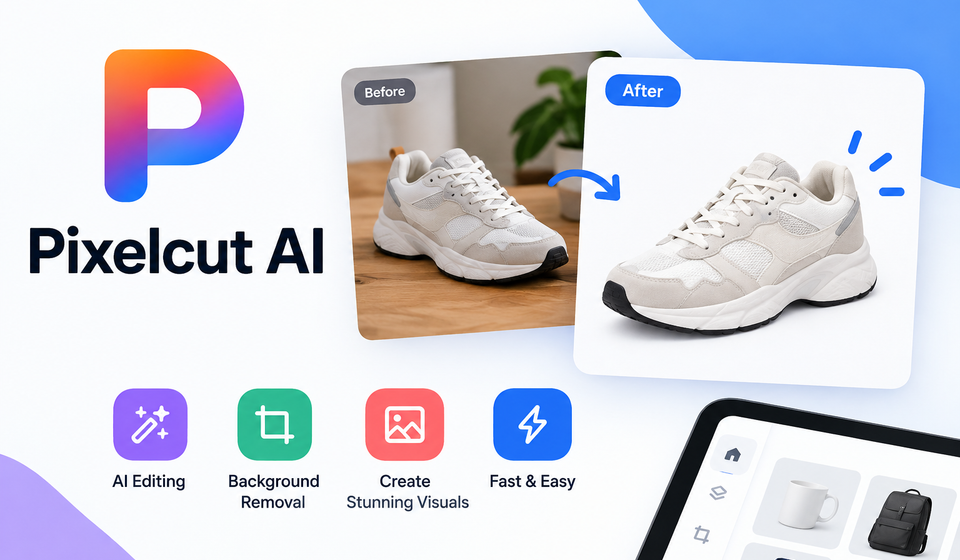

In today’s fast-paced digital landscape, high-quality visual content is more important than ever. Whether you run an e-commerce store, manage a bustling social media presence, or simply want to elevate your personal creative projects, eye-catching imagery can make all the difference. However, traditional graphic design tools often come with a steep learning curve and require significant time investments. Enter Pixelcut AI—a revolutionary platform designed to streamline photo editing and graphic creation using cutting-edge artificial intelligence.
By automating tedious tasks like background removal, image upscaling, and graphic composition, this tool empowers creators of all skill levels to produce professional-grade visuals in seconds. In this comprehensive guide, we will explore everything you need to know about this innovative software, its standout features, and how you can leverage it to transform your visual content strategy.
What is Pixelcut AI?
Pixelcut AI is a powerful, AI-driven photo editing and design application tailored for modern creators, entrepreneurs, and businesses. At its core, the platform harnesses machine learning algorithms to perform complex image manipulation tasks instantly. Instead of spending hours manually masking edges, adjusting lighting, or designing templates from scratch, users can let the software handle the heavy lifting.
Originally gaining massive popularity among online sellers who needed clean product photos, the platform has since expanded into a versatile suite of tools capable of generating marketing materials, removing unwanted objects, and even creating entirely new images from text prompts. Its intuitive interface is available across web browsers and mobile devices, making it accessible whether you are at your desk or on the go.
Key Features That Set Pixelcut Apart
To truly understand the value of this platform, let us break down its most prominent features and how they solve everyday design challenges.
1. Instant Background Removal
One of the most tedious aspects of photo editing is separating a subject from its background. Pixelcut’s background remover is industry-leading, detecting the edges of objects, people, and products with remarkable precision. With a single click, the background vanishes, leaving a transparent canvas ready for your next creative move.
2. Magic Eraser
Have an otherwise perfect photo ruined by an accidental photobomber, a stray wire, or a blemish? The Magic Eraser tool allows you to brush over unwanted elements and watch them disappear seamlessly as the AI fills in the background based on surrounding pixels.
3. AI Background Generator
Once your subject is isolated, you can place it anywhere in the world using the AI background generator. Simply type a description of the environment you want—such as a sun-drenched beach, a minimalist concrete studio, or a cozy wooden tabletop—and the software will generate a realistic, context-aware background that matches the lighting and shadows of your subject.
4. Bulk Editing for E-Commerce
For online store owners managing hundreds of inventory items, consistency is crucial. Pixelcut offers batch editing capabilities, allowing youابع to apply uniform background removal, resizing, and lighting adjustments to dozens of product photos simultaneously.
5. AI Image Upscaler and Re-imagine
Low-resolution images can hurt your brand’s credibility. The AI upscaler sharpens and enhances blurry pictures without losing quality. Additionally, the “Re-imagine” tool lets you generate creative variations of existing images, giving you endless design options from a single starting point.
Comparing Traditional Editing vs. Pixelcut AI
To visualize the impact of transitioning to an AI-driven workflow, consider the following comparison of typical tasks, time requirements, and skill levels needed:
| Editing Task | Traditional Design Software | Pixelcut AI Platform |
| Background Removal | 10–15 minutes (Manual pen tool masking) | 2–3 seconds (Automatic detection) |
| Creating Product Scenes | Hours of staging, lighting, and retouching | Instant generation via text prompt |
| Batch Processing | Requires complex scripting or tedious repetition | One-click bulk editing for multiple files |
| Learning Curve | High (Requires weeks or months of practice) | Minimal (Intuitive drag-and-drop interface) |
As shown in the table above, the time saved by automating these processes allows creators to focus on strategy, marketing, and growing their business rather than getting bogged down in technical minutiae.
Practical Applications for Your Blog and Business
How can you apply these capabilities to your daily workflow? Here are a few practical use cases:
- E-Commerce Product Listings: Transform amateur snapshots into professional studio-quality product cards that capture buyer attention on marketplaces and social media shops.
- Social Media Content: Design engaging posts, stories, and banners quickly, ensuring your feed maintains a polished, cohesive aesthetic.
- Blog Post Featured Images: Create compelling, custom visual headers that summarize your blog content and improve reader engagement.
- Marketing Collateral: Generate flyers, promotional graphics, and advertisements without needing to hire an external graphic designer.
Tips for Getting the Best Results
While the technology does most of the work, keeping a few best practices in mind will ensure your visuals always look their absolute best:
- Start with Clear Source Material: While the AI is remarkably capable, starting with well-lit, in-focus photos will yield cleaner cutouts and more realistic generated backgrounds.
- Experiment with Prompts: When using the background generator, be specific with your descriptions. Instead of typing “room,” try “a modern Scandinavian living room with soft morning sunlight filtering through sheer curtains.”
- Maintain Visual Consistency: If you are building a brand, try to stick to a consistent style or color palette for your backgrounds and templates to create a recognizable visual identity.
Conclusion
Pixelcut AI represents a major leap forward in how we approach visual creation. By removing the technical barriers traditionally associated with photo editing, it democratizes design and allows anyone to produce stunning, professional-grade imagery in a fraction of the time. Whether you are scaling an online business, refreshing your social media channels, or enhancing your blog, integrating this smart tool into your daily routine can unlock new levels of creativity and efficiency.



Comments are closed.
[…] that foster deep imagination, roleplay, and multimedia generation. Among these emerging platforms, yollo ai has quickly gained substantial traction. Designed as an all-in-one browser suite, it bridges the […]