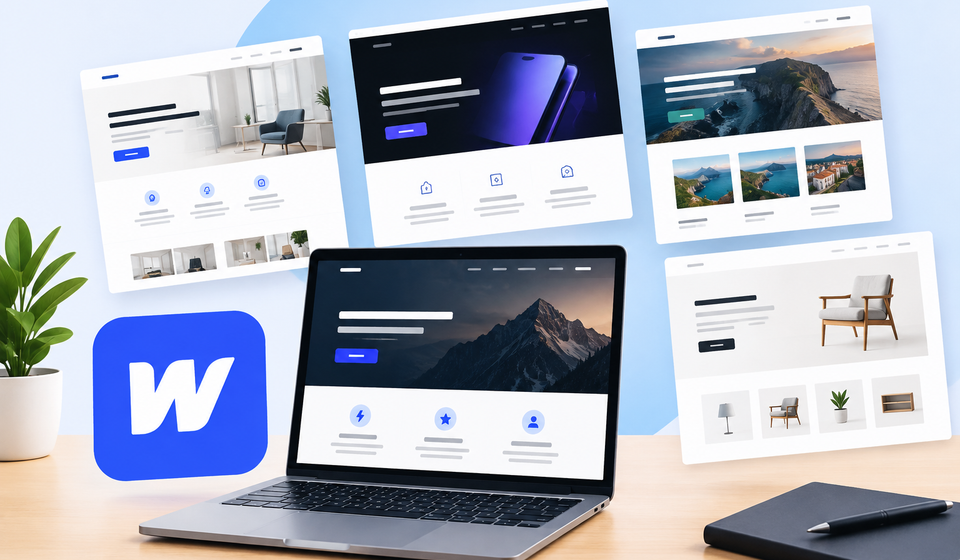

Building a professional website no longer requires advanced coding skills or months of development work. With modern website-building platforms, businesses, designers, freelancers, and entrepreneurs can create attractive websites more efficiently. One of the most useful resources for this purpose is Webflow templates, which provide ready-made website designs that can be customized to match different needs and business goals.
Whether you want to launch a business website, create an online portfolio, promote a new product, or build a personal blog, choosing the right template can simplify the entire process. Understanding how these templates work, what features they offer, and how to select the best option can help you create a website that looks professional and delivers a better user experience.
What Are Webflow Templates?
Webflow templates are pre-designed website layouts created for use with Webflow, a visual website development platform. They provide a foundation for building websites without starting every page from scratch.
A typical template may include a homepage, navigation menu, contact page, service pages, blog layouts, pricing sections, and other essential website elements. Depending on its purpose, it may also include animations, interactive components, responsive layouts, and content management features.
These templates are designed for different industries and website types. For example, a marketing agency can choose a creative business template, while a photographer might prefer a portfolio layout that highlights images and projects.
Instead of spending hours designing every component individually, users can customize an existing design by changing text, images, colors, fonts, layouts, and other visual elements.
Why Are Webflow Templates Popular?
Webflow templates are popular because they combine design flexibility with a relatively straightforward website-building process. They are useful for beginners who want a professional starting point and experienced designers who want to reduce development time.
Several advantages make them a practical choice.
1. Faster Website Development
Creating a website from the beginning can require significant planning, design work, and development. A ready-made template provides an established structure that can be adapted to your requirements.
This approach is particularly useful for startups, freelancers, and small businesses that need to establish an online presence quickly.
2. Professional Website Designs
Many templates are created by experienced designers who understand modern layout principles, typography, spacing, and visual hierarchy.
A well-designed template can help your website look consistent and trustworthy. However, the final result still depends on the quality of your content, images, customization, and overall presentation.
3. Responsive Layouts
A responsive website adjusts its layout to different screen sizes, including desktops, tablets, and smartphones.
Many Webflow templates include responsive layouts that make it easier to provide a consistent experience across devices. Before choosing a template, check its mobile navigation, text readability, image placement, and button sizes.
4. Customization Flexibility
Templates offer a starting point rather than a fixed design. You can usually modify colors, typography, spacing, images, content sections, and other design elements.
This flexibility allows businesses to create a website that reflects their brand identity without having to develop every component independently.
5. Useful Features and Integrations
Depending on the template, you may find prebuilt animations, forms, reusable components, blog layouts, and content management structures.
Some templates also support layouts intended for ecommerce stores, professional services, SaaS products, or creative portfolios. Always review the included features before making a purchase.
Popular Types of Webflow Templates
Different websites require different layouts and functionality. Selecting a template designed for your intended purpose can make customization easier.
| Template Type | Best For | Common Features |
|---|---|---|
| Business | Small businesses and established companies | Services, company information, contact forms |
| Portfolio | Designers, photographers, and developers | Project galleries, case studies, personal profiles |
| Agency | Creative and marketing agencies | Service sections, testimonials, project showcases |
| SaaS | Software companies and technology startups | Product features, pricing sections, signup calls to action |
| Ecommerce | Online stores | Product displays, shopping-related layouts, promotional sections |
| Blog | Publishers and content creators | Post listings, category pages, author information |
| Real Estate | Property agents and agencies | Property showcases, image galleries, inquiry forms |
| Restaurant | Cafes, restaurants, and food businesses | Menus, location information, reservations or contact details |
Before selecting a design, identify the primary purpose of your website. A template created for a software company may not be suitable for a photography portfolio because their content, visual priorities, and visitor expectations are different.
How to Choose the Best Webflow Template
Choosing the right template involves more than selecting an attractive design. You should also consider usability, functionality, customization requirements, and long-term maintenance.
Identify Your Website Goals
Start by deciding what you want your website to achieve. Your primary goal might be generating business inquiries, displaying creative work, selling products, publishing content, or promoting a service.
Once you understand your goals, you can narrow your choices to templates that support the pages and features you actually need.
Check the Design and Layout
Review the homepage, navigation, page structure, and overall visual presentation. Look for a clear layout that makes important information easy to find.
Avoid choosing a design simply because it looks impressive in a preview. Consider whether it will work with your own images, brand colors, text, and content structure.
Review Mobile Responsiveness
Mobile usability is essential because many visitors browse websites using smartphones.
Check whether the template provides readable typography, intuitive navigation, properly sized buttons, and well-organized content on smaller screens.
Examine Customization Options
Some templates are easier to adapt than others. Look for a design that allows you to modify its major components without unnecessary complexity.
If you are a beginner, a well-organized template with clear page structures and reusable components may be more practical than an elaborate design with extensive interactions.
Compare Pricing and Licensing
Webflow templates may be available as free or paid options, depending on the marketplace and creator.
Before purchasing, review the current price, licensing conditions, included pages, support arrangements, and any additional requirements. Also remember that the cost of a template is separate from any applicable website hosting, domain, or platform subscription expenses.
Where to Find Webflow Templates
There are several places where you can explore designs for your next website.
Webflow Templates Marketplace: The official marketplace is a natural starting point for browsing templates designed for the Webflow platform. You can explore different categories and compare available designs.
Independent Template Creators: Some designers and studios sell templates through their own websites or specialized marketplaces. These options may offer distinctive layouts for specific industries.
Design Communities: Designer portfolios and online design communities can help you discover visual styles and ideas for your project. However, verify that any template you choose is compatible with Webflow and comes with the appropriate usage rights.
You can begin your search through the official Webflow Templates Marketplace.
How to Use a Webflow Template
After choosing a suitable design, follow a structured process to turn it into a functional website.
Step 1: Select a Template
Choose a design that matches your business, audience, and website goals. Review the available pages and features before proceeding.
Step 2: Add the Template to Your Project
Follow the marketplace instructions to obtain or use the selected template. The exact process can vary depending on the template and how it is distributed.
Step 3: Customize the Design
Replace placeholder text and images with your own content. Update the logo, colors, fonts, navigation, and other visual elements to match your brand.
Step 4: Organize Your Pages
Make sure the website includes the essential pages for your project. These may include a homepage, about page, services page, contact page, and blog.
Remove unnecessary sections and ensure that each page has a clear purpose.
Step 5: Check Functionality
Test navigation links, contact forms, buttons, animations, and any other interactive elements. If the template includes content management features or ecommerce functionality, verify that the relevant components work as intended.
Step 6: Test Different Devices
Preview the website on desktop, tablet, and mobile screen sizes. Check for overlapping content, poorly positioned images, unreadable text, and navigation problems.
Step 7: Prepare for Launch
Review your page titles, descriptions, image alternatives, links, and website content. Connect your domain and configure publishing settings according to your Webflow plan and requirements.
Webflow Templates and Website Performance
A visually attractive website should also load efficiently and provide a smooth browsing experience. Template selection can influence performance, but it is only one part of the overall picture.
Templates with excessive animations, unnecessary components, or large media files may require additional optimization. A simpler design can sometimes provide a better experience than one containing numerous decorative effects.
To improve performance, consider the following practices:
- Compress images and use appropriate image dimensions.
- Remove unnecessary animations and unused sections.
- Limit third-party scripts and integrations.
- Use readable typography and consistent spacing.
- Test important pages on mobile devices.
- Check page loading behavior and fix obvious usability issues.
Accessibility also matters. Use clear headings, sufficient color contrast, descriptive links, and meaningful alternative text for informative images. These improvements help visitors understand and navigate your website more easily.
Common Mistakes to Avoid
Although templates simplify website development, a few mistakes can reduce their effectiveness.
One common mistake is choosing a design based only on appearance. A beautiful layout may not support your actual business requirements.
Another mistake is publishing a website without replacing placeholder content. Generic text and demonstration images can make a business appear unfinished.
Some website owners also ignore mobile testing, leave broken links in place, or add too many animations. These issues can create a frustrating experience for visitors.
Finally, avoid installing unnecessary integrations or adding features that do not support your website goals. A focused, well-organized website is often more effective than one filled with distracting elements.
Are Webflow Templates Worth Using?
Webflow templates can be an excellent option for individuals and businesses that want to create a professional website without designing every page from scratch.
They are particularly useful for freelancers, startups, creative professionals, marketing agencies, and small businesses that need an efficient starting point.
However, a template is not a complete substitute for planning and customization. You still need relevant content, appropriate branding, functional navigation, and a clear understanding of your audience.
If your project requires highly specialized functionality or an unusual design, you may need substantial customization or a custom-built solution. Comparing these requirements before making a decision can help you avoid unnecessary expenses and work.
Final Thoughts
Webflow templates make website creation more accessible by providing ready-made designs for a wide range of industries and purposes. They can reduce development time, support consistent visual design, and provide useful structures for business websites, portfolios, blogs, and online stores.
The best choice depends on your goals, budget, required features, and design preferences. By evaluating responsiveness, customization options, licensing, usability, and performance, you can select a template that supports both your immediate needs and future growth.
Take time to compare available options, review their included features, and test the final website before publishing. With the right template and thoughtful customization, you can build a professional online presence that communicates your message clearly and gives visitors a positive experience.